
Part IV - Instructions for Authors
How do I create a new article (for authors)
Step 1 - Log into your account
Step 2 - Using the 'User Menu' on the home page, click on Create an Article
Step 2 - Using the text editor, add your content.
Step 3 - Use the 'publishing tab' to choose a category for your article. Then Click "Save & Close" at the bottom of the editor. Your article will be automatically posted.
How do I add a new issue category to Backcountry BC?
Make your request through our Request New Categories form. Let us know your specific needs and we will do our best to satisfy them in a timely manner.
How do I edit my articles?
Step 1 - Log in to your account on the Home Page
Step 2 - Navigate to the article you wish to edit
Step 3 - click on the blue "edit" button in the upper right of the article (see screenshot below)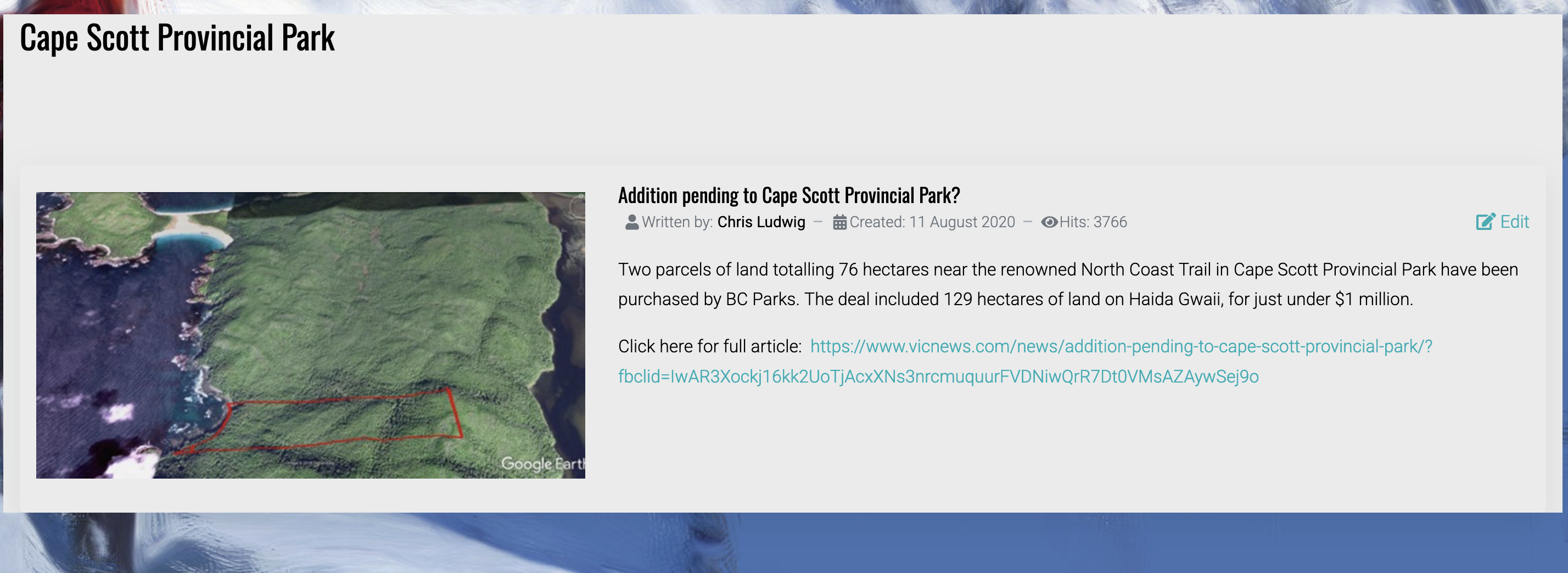
Step 4 - Edit your article in the text editor, then click "Save & Close " when finished your editing
I accidentally posted to the wrong category. How do I move my article to the correct category?
*Note that authors are only alowed to edit their own articles
Step 1 - Follow Steps 1 - 4 on 'How do I edit my articles'
Step 2 - At the top of the text editor click on "publishing"
Step 3 - Use the drop-down menu under "category" to select the new location for your article
Step 4 - Click "Save & Close" at the bottom of the text editor